A screen placed on the kitchen table, the phone ringing, a child bursting in during a video conference: we’ve all experienced this scene at least once. Working effectively from home isn’t just about a list of good habits. The real lever is how we structure our tasks and environment to protect our concentration.
Task Design and Cognitive Load in the Home Office
Most guides on remote work talk about personal discipline. We read everywhere that we should wake up early, get dressed, set schedules. These tips aren’t wrong, but they miss a central point: performance largely depends on how we break down our tasks.
When working from home, no one segments the work for us. In the office, meetings impose a rhythm. At home, we face a block of continuous work, with no clear boundaries between tasks. The natural reflex is multitasking, and that’s precisely what hinders productivity.
Before starting the day, it’s beneficial to identify two or three tasks that require real concentration and then isolate them in protected time slots. The rest (emails, calls, administrative tasks) can be scheduled around these, during times when attention is naturally lower. To discover Mozhazavizopn Ltd on Working from Home, there are concrete tips on organizing these work blocks at home.
Home Interruptions: Identifying Them to Neutralize Them
We often talk about “cutting distractions” without specifying which ones. In practice, interruptions at home fall into two very different categories, and we don’t handle them the same way.
External interruptions come from those around us: family, delivery people, neighbors. Self-generated interruptions come from us: checking the phone, opening a social media tab, going to make coffee at the slightest dip in attention. The latter are much more frequent and costly because we don’t perceive them as interruptions.
For external interruptions, the most effective solution remains a clear physical signal: a closed door, headphones on, a time slot announced to the family. For self-generated interruptions, it’s trickier. Here are some practical measures that work:
- Put the phone in another room during concentration periods, not just on silent mode on the desk
- Use a visible timer (25 to 45 minutes depending on the task) to give a time frame for each work session
- Close all instant messaging apps during these slots, even if it means informing colleagues of a delayed response
- Write down on a notebook every urge to distract instead of giving in immediately, which helps identify personal patterns
Feedback varies on the ideal duration of a concentration block. Some can easily focus for 45 minutes, while others lose concentration after 20. The goal isn’t to force oneself but to find one’s actual duration and stick to it.
Home Office Setup: What Really Changes Productivity
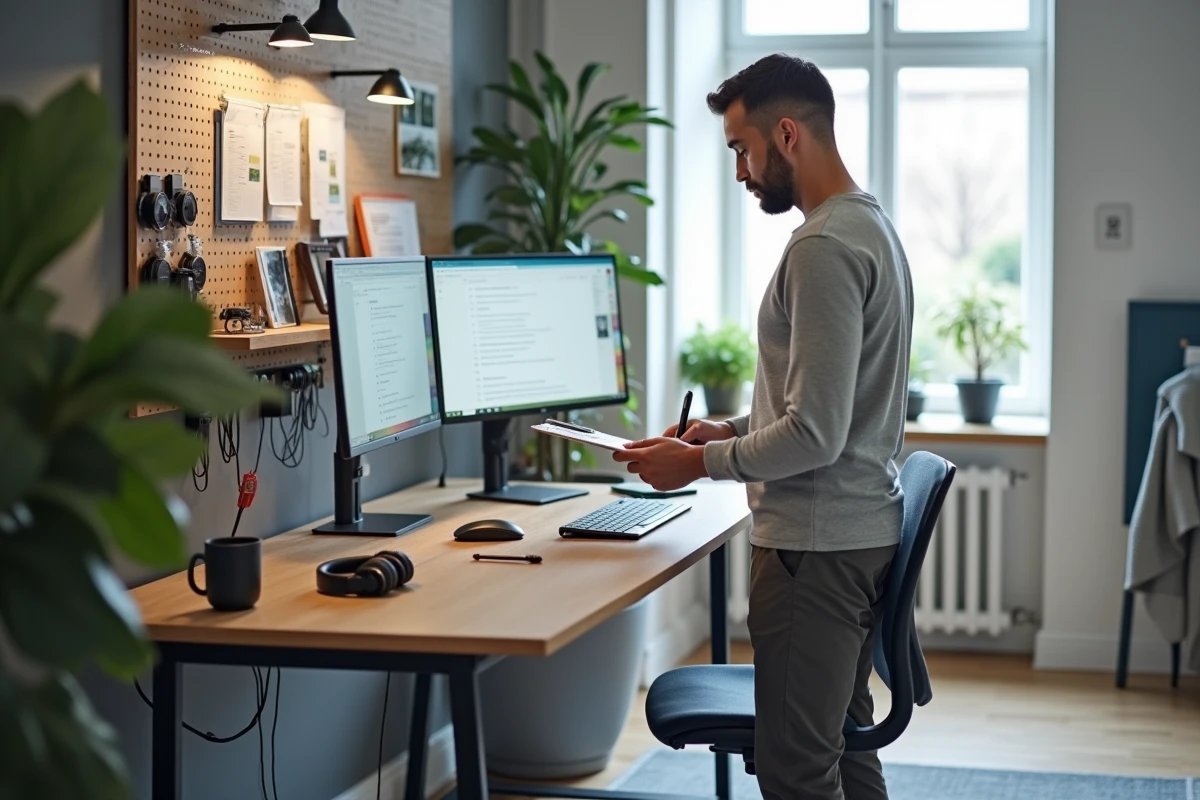
A poorly set up desk doesn’t just cause physical pain. It generates fatigue that eats away at work capacity throughout the day. Recent guides on remote work ergonomics emphasize three concrete elements rather than the purchase of expensive furniture.
The first is the height of the screen relative to the eyes. The top of the screen should be at eye level, which prevents bending the head down for hours. A simple stand or a stack of books will suffice.
The second is the variability of postures throughout the day. Sitting for eight hours in the same position, even with an ergonomic chair, leads to fatigue. Alternating between sitting, standing (a raised work surface does the trick), and micro-breaks of a few minutes yields better results than an 800-euro chair used without moving.

The third is light. Working facing a window creates glare on the screen, while working with your back to a window causes glare during video calls. Natural light should come from the side, ideally from the opposite side of the writing hand, to limit shadows and visual fatigue.
Work Rhythm and Breaks: Structuring the Day Without Making It Rigid
We are often told to set strict schedules. In reality, working from home offers a flexibility that a traditional office doesn’t allow, and losing it voluntarily would be a shame. The goal isn’t to replicate office hours but to create transition rituals between work mode and personal life mode.
A morning ritual (preparing coffee, reviewing the task list, opening tools) and an end-of-day ritual (shutting down the computer, tidying the desk, going for a walk) replace the commute. These signals help the brain switch from one mode to another.
For breaks, we often choose the wrong format. Scrolling on your phone is not a break; it’s another form of cognitive engagement. A real break involves a change of activity: stepping outside for a few minutes, stretching, chatting with someone face-to-face.
- Plan a 10 to 15-minute break every 90 minutes of continuous work
- Reserve lunch breaks to physically leave the workspace, even if it’s just moving to another room
- Avoid checking work emails during breaks, or else the brain remains in work mode
Hybrid remote work, which has become the dominant model in recent years, complicates rhythm management. Office days and home days have different constraints. It’s beneficial to reserve deep concentration tasks for home days and collaborative meetings for in-person days.
Working effectively from home relies less on willpower and more on preparing the environment and intelligently breaking down tasks. A well-set workspace, protected concentration slots, and clear transitions between professional and personal life achieve more than any list of resolutions. The last point we often forget: what works one month may not work the next. Regularly adjusting one’s organization is part of working from home.